Jun 092016
 

Dictatorships can be wonderful places, so long as they are led by competent dictators.

The problem with dictatorships is that when the dictators go bonkers, there are no corrective mechanisms. No process to replace them or make them change their ways.

And now I wonder if the same fate may be in the future of Singapore, described by some as the “wealthiest non-democracy”.

The Ministry of Information and the Arts

To be sure, Singapore is formally democratic, with a multi-party legislature. But really, it is a one-party state that has enacted repressive legislation that require citizens engaging in political discussion to register with the government, and forbids the assembly of four or more people without police permission.

Nonetheless, Singapore’s government enjoyed widespread public support for decades because they were competent. Competence is the best way for a government, democratic or otherwise, to earn the consent of the governed, and Singapore’s government certainly excelled on this front.

But I am beginning to wonder if this golden era is coming to an end, now that it has been announced that Singapore’s government plans to take all government computers off the Internet in an attempt to improve security.

The boneheaded stupidity of this announcement is mind-boggling.

For starters, you don’t just take a computer “off the Internet”. So long as it is connected to something that is connected to something else… just because you cannot use Google or visit Facebook does not mean that the bad guys cannot access your machine.

It will also undoubtedly make the Singapore government a lot less efficient. Knowledge workers (and government workers overwhelmingly qualify as knowledge workers) these days use the Internet as an essential resource. It could be something as simple as someone checking proper usage of a rare English expression, or something as complex as a government scientist accessing relevant literature in manuscript repositories or open access journals. Depriving government workers of these resources in order to improve security is just beyond stupid.

In the past, Singapore’s government was not known to make stupid decisions. But what happens when they start going down that road? In a true democracy, stupid governments tend to end up being replaced (which does not automatically guarantee an improvement, to be sure, but over time, natural selection tends to work.) Here, the government may dig in and protect its right to be stupid by invoking national security.

Time will tell. I root for sanity to prevail.

 Posted by at 1:45 pm
May 182016
 

A question on Quora made me reminisce about old computer games that make me feel somewhat nostalgic.

I’ve been involved with computer games both as a player and in a professional capacity for a very long time.

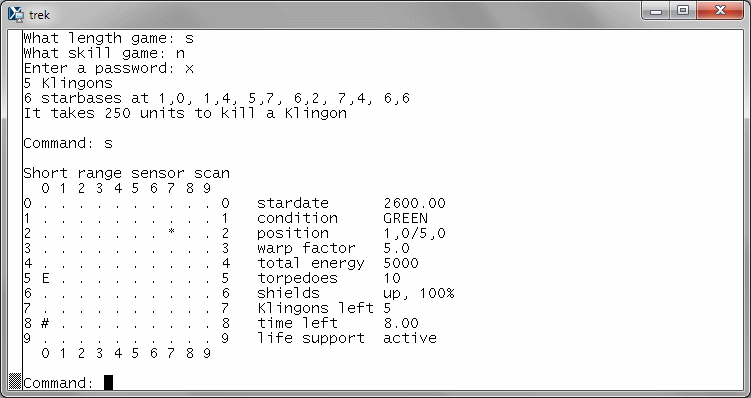
Long before I laid my hands on a personal computer, I was an avid player of Trek on a PDP/11. This was a game written for text terminals, simulating the mission of the Starship Enterprise through Klingon-infested space:

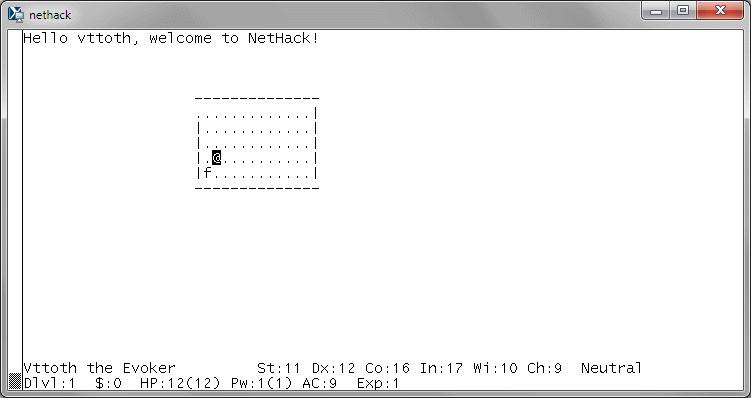
Another game of similar vintage, which I used to play on a peer-to-peer QNX network, is Hack:

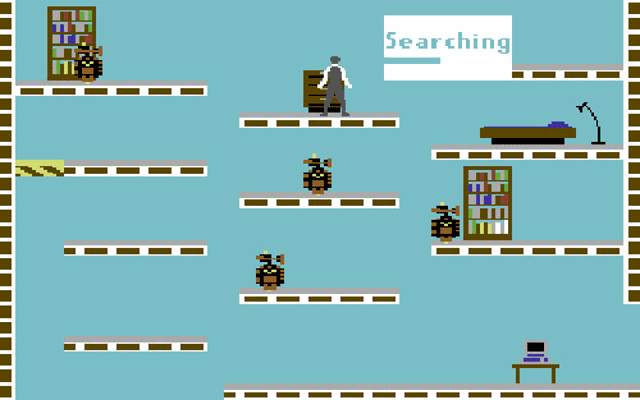
Then there was the Commodore-64. Here are two Commodore-64 games that I remember fondly. Impossible Mission:

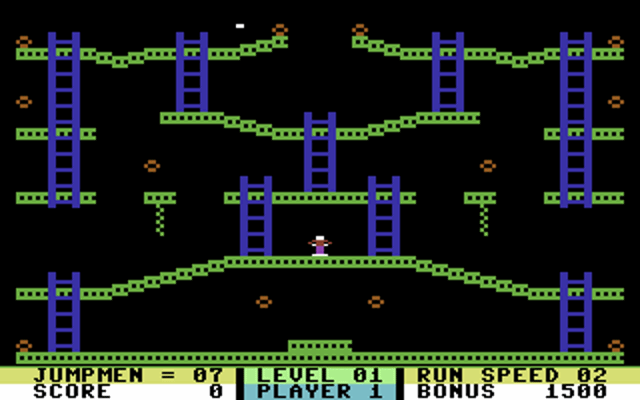
And Jumpman:

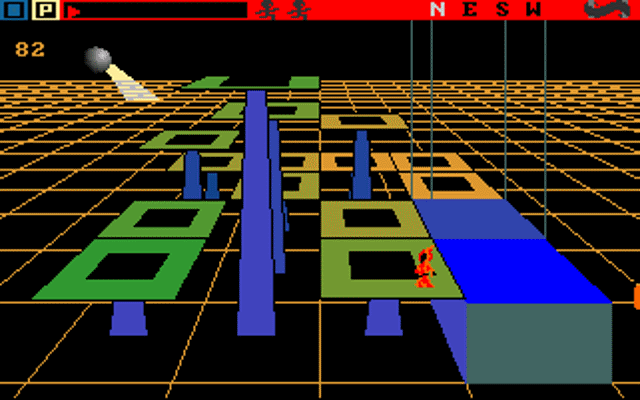
After the Commodore-64 came the Amiga. One of the first games I played on the Amiga 500 was the absolutely surrealist Mind Walker:

Very weird game. Memorable, algorithm-generated music. Ahead of its time.

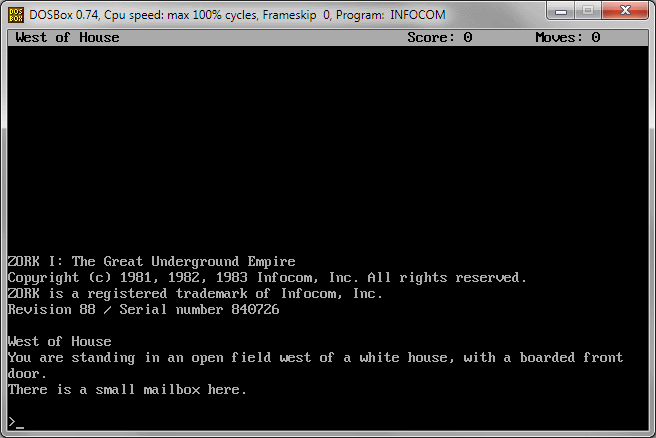
Moving on to the PC (actually, I first played these on the Atari ST), there are the classic INFOCOM games. (Yes, I am taking the liberty of classifying pure text adventure games as “video games”.) Best known perhaps is Zork:

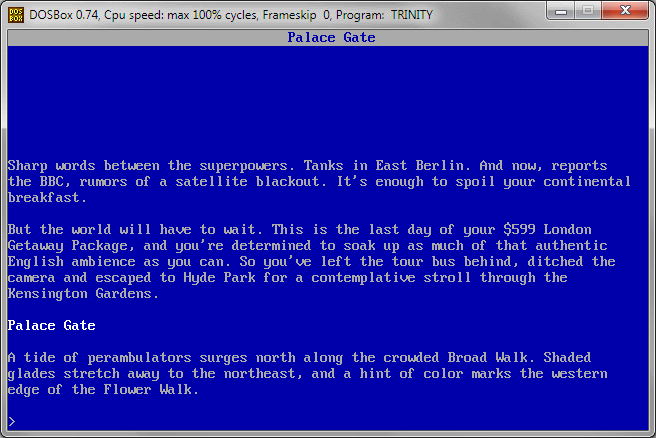
But there was also the unforgettable apocalyptic story of Trinity:

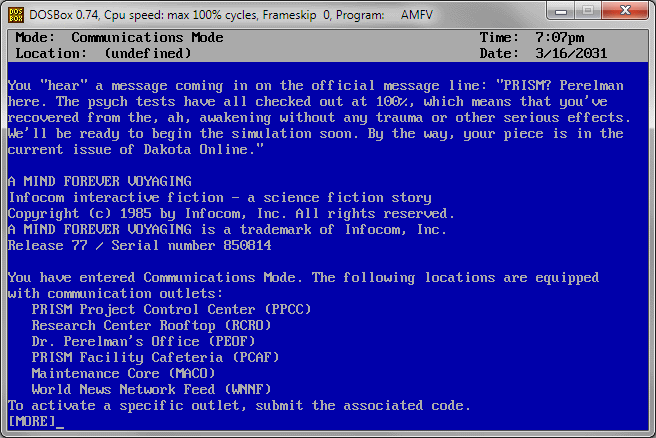
The equally unforgettable A Mind Forever Voyaging in which you get to play a disembodied artificial intelligence:

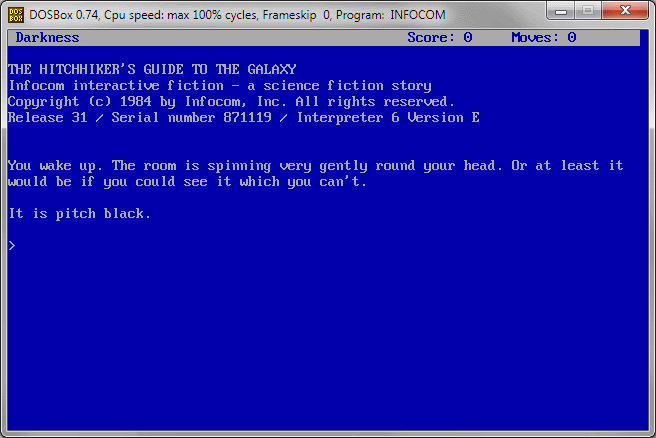
And the hilarious Hitchhiker’s Guide to the Galaxy with its fiendishly impossible puzzles:

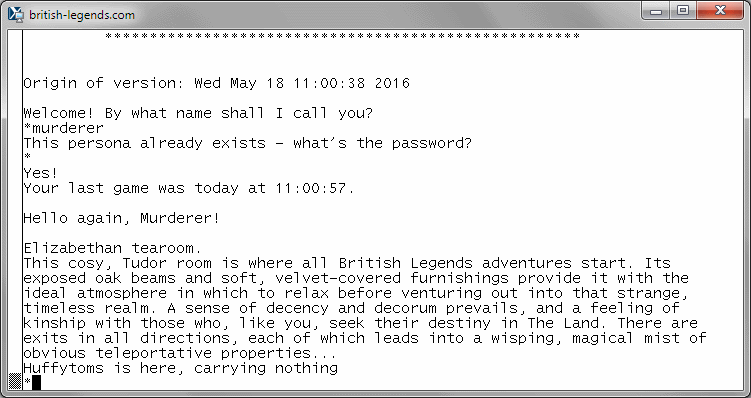
Still on the text game front, back in 1991 I began playing what was for me the first multiplayer online game, British Legends, aka. MUD (Multi-User Dungeon):

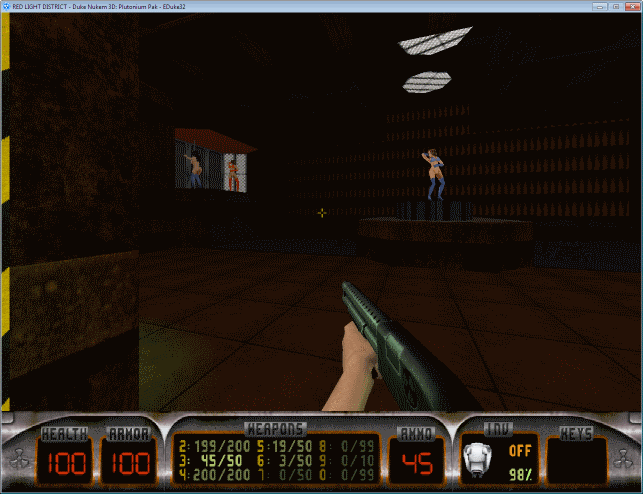
Meanwhile, on my PC, I was busy playing Duke Nukem, its platform versions first, eventually moving on to Duke Nukem 3D (which exists to this day in a community supported 32-bit high-resolution version, complete with NSFW imagery):

And then came Myst, the “killer app” for CD-ROMs:

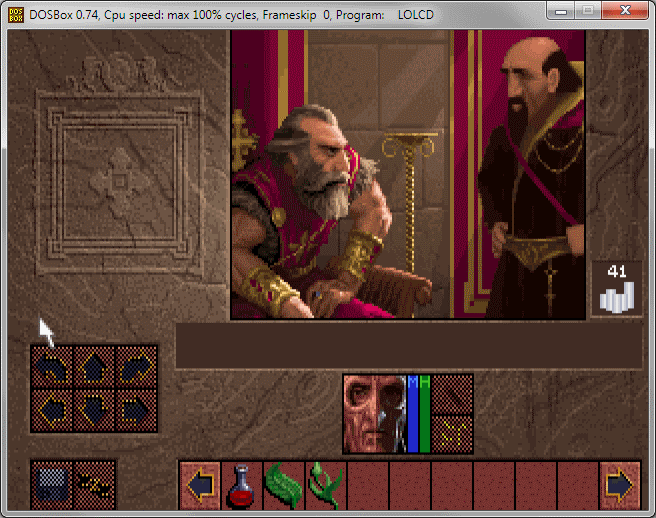
Last but not least, a game that gave me tremendous amounts of joy, Lands of Lore: Guardians of Destiny (with none other than Patrick Stewart lending his voice acting skills to the CD version):

I remember all these games very fondly. And they are all still eminently playable, and very enjoyable, to this day.

 Posted by at 3:42 pm
May 112016
 

No, I am not using expletives.

Or rather, I’ve been using some expletives, but *#0808# is not code for one of them.

It is an actual code that I can enter into my Samsung phone to get to a service menu that allows me to re-enable USB functions that somehow got turned off.

Although it took only about 15 minutes to find this particular code, it marked the end of a rather frustrating 24 hours. Last night, as it was just about to complete installing 24 Microsoft updates, my workstation locked up. The incomplete installation of updates managed to mess up my Microsoft Office setup, and made it impossible to install some still missing updates. Which meant that I had to use System Restore to get back to a known-good state first, and then redo the updates.

As a result, much of my day was consumed (and it’s not like I slept much last night either.) And as if that wasn’t enough, my phone also suddenly decided that it didn’t want to connect to my workstation anymore… hence my need for the aforementioned code.

All is well that ends well, though, and in the end I managed to install everything. It’s just that those hours of my life that I lost, I’ll never get them back.

It also reinforced my conviction that I made the right decision when, a few days ago, I decided to invest some money and purchase parts for a new workstation and server. It’s about bleeping time… this machine served me well for over seven (!) years, and seven years in this profession is almost an eternity.

Still waiting for some of the parts though. Although I ordered everything from the same supplier, NewEgg.ca, the shipments come from at least four different locations in North America.

 Posted by at 8:47 pm
Apr 152016
 

Not for the first time, one of my Joomla! sites was attacked by a script kiddie using a botnet.

The attack is a primitive brute force attack, trying to guess the administrator password of the site.

The frustrating thing is that the kiddie uses a botnet, accessing the site from several hundred remote computers at once.

A standard, run-of-the-mill defense mechanism that I installed works, as it counts failed password attempts and blocks the offending IP address after a predetermined number of consecutive failures.

Unfortunately, it all consumes significant resources. The Joomla! system wakes up, consults the MySQL database, renders the login page and then later, the rejection page from PHP… when several hundred such requests arrive simultaneously, they bring my little server to its knees.

I tried as a solution a network-level block on the offending IP addresses, but there were just too many: the requests kept coming, and I became concerned that I’d have an excessively large kernel table that might break the server in other ways.

So now I implemented something I’ve been meaning to do for some time: ensuring that administrative content is only accessible from my internal network. Anyone accessing it from the outside just gets a static error page, which can be sent with minimal resource consumption.

Now my server is happy. If only I didn’t need to waste several hours of an otherwise fine morning because of this nonsense. I swear, one of these days I’ll find one of these script kiddies in person and break his nose or something.

 Posted by at 11:50 am
Apr 102016
 

I’ve been encountering an increasing number of Web sites lately that asked me to disable my ad blocker. They promise, in return, fewer ads.

And with that promise, they demonstrate that they completely and utterly miss the point.

I don’t want fewer ads. I don’t mind ads. I understand that for news Web sites, ads are an essential source of revenue. I don’t resent that. I even click on ads that I find interesting or relevant.

So why do I use an ad blocker, then?

In one word: security.

Malicious ads showed up even on some of the most respectable Web sites. Ad networks have no incentive to vet ads for security, so all too often, they only remove them after the fact, after someone complained. And like a whack-a-mole game, the malicious advertiser is back in no time under another name, with another ad.

And then there are those ads that pop up with an autostart video, with blaring sound in the middle of the night, with the poor user (that would be me) scrambling to find which browser tab, which animation is responsible for the late night cacophony.

Indeed, it was one of these incidents that prompted me to call it quits on ads and install an ad blocker.

So sorry folks, if you are preventing me from accessing your content because of my ad blocker, I just go elsewhere.

That is, until and unless you can offer credible assurance that the ads on your site are safe. I don’t care how many there are. It’s self-limiting anyway: advertisers won’t pay top dollar for an ad on a site that is saturated with ads. What I need to know is that the ads on your site won’t ruin my day one way or another.

 Posted by at 9:19 am
Feb 202016
 

OK, my Linux friends… try not to make the mistake that I made earlier tonight.

I was trying to stop a process in the gentlest way possible, buy sending it a hangup signal to its numerical process ID, e.g., 12345. The syntax was supposed to be this:

kill -1 12345

Unfortunately this is not what I typed. Because it was an afterthought that I’d use a hangup signal (instead of the default kill signal) I entered the option after the process ID, like this:

kill 12345 -1

A second or two later, I lost my xterm session. In fact, I lost all my xterm sessions. My mail client disconnected. I could not even telnet into the server anymore. For all practical intents and purposes, it seemed dead as a doorknob.

OK, not completely dead. I was able to log back in through its physical keyboard, only to find out that apart from core processes, nothing was running. No SQL server. No Web server. No SSH demon. No name server. And so on.

What the !#@@#@!& have I done?

I looked at the command long and saw the last command that I typed. I quickly checked the man page of kill and indeed… what I typed instructed kill to terminate process 12345 (using the default kill signal) and then, using the same default kill signal, terminate all processes with a pid greater than 1.

Bravo. What a clever boy. I promise I’ll try not to do that again anytime soon.

Still, I was able to bring everything back to life without rebooting the server. I hate reboots.

 Posted by at 10:49 pm
Jan 202016
 

One of the blessings of being self-employed is that I don’t need to read IT job advertisements on a regular basis.

But for those friends of mine who do, I just came across this gem that helps translate the common buzzwords and catch phrases that appear in these ads:

Don’t let any of this deter you from going after that position… just tamper your expectations.

 Posted by at 6:22 pm
Nov 272015
 

Fourteen years ago, I embarked on a small hobby project: A compiler for an ultra-simple programming language I called W, a language specifically designed to produce short 16-bit DOS programs. It has the distinguishing characteristic of having neither keywords nor types. The only data type on which it operates is a 16-bit machine word (hence the name, W).

I then wrote a few pages about this language that are still featured on my Web site.

Today (not for the first time) my project was rediscovered. Apparently not everyone realized that this was an old project (I now changed the configuration of the project page to make sure its creation date is visible.) The link went a little viral, as it was featured on both Reddit and Y Combinator. Which explains why, when I woke up this morning, I saw my server under a far heavier load than usual.

It was interesting to look at the comments on these two sites. Some liked what I have done. Others were critical, not sure why; it was a hobby project, after all, I wasn’t trying to win any accolades. But there was one particular comment on Reddit, by user MarshallBanana, that I really liked:

“What a bastard, making something for himself for fun. He sure deserves some shit for that.”

 Posted by at 7:18 pm
Nov 272015
 

Today, I tried to reach the Microsoft Developer Network support line to sort out an issue with my MSDN subscription.

After I made the appropriate touchtone selections, however, I was greeted with what sounded like an old Walkman on a nearly dead battery. Quite incomprehensible but certainly entertaining.

It went on like this for a couple of minutes, but then the call was disconnected.

I then tried to call the main Microsoft number, where a helpful lady tried to sort things out for me. She apologized and put me on hold several times while she talked to her supervisor; unfortunately, the last time she tried to put me on hold, she managed to disconnect the call instead.

So I called the MSDN number again (1-800-759-5474) and this time, I recorded the call. When I sped it up, suddenly it all made sense:

Technical difficulties indeed.

 Posted by at 3:18 pm
Nov 022015
 

Today, someone sent me a link to a YouTube video of an old Hungarian language television program that featured one of our Commodore 64 computer games, Save Me Brave Knight.

Except that the program featured a lot more than just the game: It also featured Viktor Zámbó and myself talking about the game. (I am second from the right; Viktor Zámbó is on the right.)

I remembered this program vaguely, but I couldn’t even recall its title. My past attempts to search for it were in vain; in fact, I doubted that it even made it online.

But here it is, the two of us, being interviewed at length (starting at 16:48) about the art and craft of game programming.

Wow.

I’m saving a copy of this video on the odd chance that it is removed or muted by YouTube for copyright reasons.

 Posted by at 11:37 am
Oct 142015
 

I finished this weeks ago but never had the time to post. My previous attempt to hack a Rogers cable decoder was only partially successful, so I gave it another try, with better results.

By “hack”, I don’t mean illegally obtaining cable signals or anything like. I was simply looking for a way to get composite video and stereo audio out of the “free” cable boxes that Rogers provides, as opposed to just a plain RF signal on channel 3. The reason is pretty mundane: I’ve been using a dual-tuner TV card in my computer for years, which allowed me to record one program while watching another. The transition by Rogers to full digital cable messed this up: the TV card has only one RF input, so it is impossible to attach two decoders that could supply two signals simultaneously. But the TV card does have two independent composite video inputs. So if only the decoders had the corresponding output…

Well, they do, sort of: the only problem was that the audio was an undecoded (multiplexed) stereo signal. To decode it, I first built a standard stereo decoder circuit, but that was before I learned that the NTSC standard for stereo also includes noise suppression.

Hence my second attempt, using an appropriate chip.

Once again, I used a custom printed circuit board of my own design, and once again, it worked like a charm. The only fly in the ointment is that this larger board no longer fits inside the original decoder casing without some “plastic surgery”; so chances are that if it ever comes to returning these boxes to Rogers, I’ll be paying for them instead. Oh well.

 Posted by at 12:38 pm
Sep 212015
 

Today, I spent a couple of hours trying to sort out why a Joomla! Web site, which worked perfectly on my Slackware Linux server, was misbehaving on CentOS 7.

The reason was simple yet complicated. Simple because it was a result of a secure CentOS 7 installation with SELinux (Security Enhanced Linux) fully enabled. Complicated because…

Well, I tried to comprehend some weird behavior. The Apache Web server, for instance, was able to read some files but not others; even when the files in question were identical in content and had (seemingly) identical permissions.

Of course part of it was my inexperience: I do not usually manage SELinux hosts. So I was searching for answers online. But this is where the experience turned really alarming.

You see, almost all the “solutions” that I came across advocated severely weakening SELinux or disabling it altogether.

Since I was really not inclined to do either on a host that I do not own, I did not give up until I found the proper solution. Nonetheless, it made me wonder about the usefulness of overly complicated security models like SELinux or the advanced ACLs of Windows.

These security solutions were designed by experts and expert committees. I have no reason to believe that they are not technically excellent. But security has two sides: it’s as much about technology as it is about people. People that include impatient users and inadequately trained or simply overworked system administrators.

System administrators who often “solve” a problem by disabling security altogether, rather than act as I have, research the problem, and not do anything until they fully understand the issue and the most appropriate solution.

The simple user/group/world security model of UNIX systems may lack flexibility but it is easy to conceptualize and for which it is easy to develop a good intuition. Few competent administrators would ever consider solving an access control problem by suggesting the use of 0777 as the default permission for all affected files and folders. (OK, I have seen a few who advocated just that, but I would not call these folks “competent.”)

A complex security model like SELinux, however, is difficult to learn and comprehend fully. Cryptic error messages only confound users and administrators alike. So we should not be surprised when administrators take the easy way out. Which, in a situation similar to mine, often means disabling the enhanced security features altogether. Unless their managers are themselves well trained and security conscious, they will even praise the administrator who comes up with such a quick “solution”. After all, security never helps anyone solve their problems; by its nature, it becomes visible only for its absence, and only when your systems are under attack. By then, it’s obviously too late of course.

So the next time you set up a system with proper security, think about the consequences of implementing a security model that is too complex and non-intuitive. And keep in mind that what you are securing is not merely a bunch of networked computers; people are very much part of the system, too. The security technology that is used must be compatible with both the hardware and the humans operating the hardware. A technically inferior solution that is more likely to be used and implemented properly by users and administrators beats a technically superior solution that users and administrators routinely work around to accomplish their daily tasks.

In short… sometimes, less is more indeed.

 Posted by at 7:17 pm
Aug 212015
 

Looks like just as I was about to heap more praise on Microsoft’s latest operating system, I ran into an issue of almost showstopper quality: half my programs don’t show up in the Start Menu, and the Start Menu itself is confusing, dare I say broken, even when it works as intended.

One of the Big Deals about Windows 10 was that it restored the Start Menu, taken away by the brain-dead design decisions that went into Windows 8.

But it is a different kind of a start menu. It combines the traditional Start Menu functionality with the tiles of Windows 8. But that’s okay… the tiles can be quite nice, once you get used to them.

What is a bit harder to get used to is how programs vanish from the Start Menu’s All apps option, or never show up there in the first place. Oh, and you cannot search for them either.

The cause: supposedly, some programming genius at Microsoft hard-coded a 512-program limit into the cache database that feeds this new Start Menu. (I say supposedly because some folks report issues even with fewer programs than 512.) What a …

A fix may or may not be on its way. It certainly hasn’t been released yet. I hope it will be released soon, but it still does not solve another, rather major annoyance associated with the new Start Menu: how it flattened multi-level menus.

In the old Start Menu, you may have had a folder named Games, under which you had, say, a folder named Betrayal at Krondor, with a command “Graphic mode setup”. Next, Myst Uru, with “Graphic mode setup”. Or Redneck Rampage, with “Graphic mode setup”. (These are some actual GOG.com game examples.)

In the new Start Menu, you have the Games folder, under which you get

with no indication as to which is which.

What kind of a moron thought that this would be a good idea?

I have used Windows 8 and Windows 8.1 on a laptop for over two years now and I put up with its Start Menu-less nonsense, resisting the urge to install a third-party product that restores this functionality. But I am beginning to realize that a broken Start Menu is worse than no Start Menu at all. So… classicshell.net, here I come.

 Posted by at 2:32 pm
Aug 152015
 

In the last few days, I upgraded two of my laptops to Windows 10. So far, I have been most impressed by the results.

The first laptop is my current “travel” laptop, an ASUS X202E. It is a touchscreen notebook that originally came with Windows 8. I got it real cheap just over two years ago. It turned out to be a much better machine than I expected (despite Windows 8!) so I invested a little extra money and upgraded it with a solid state drive. I also upgraded it to Windows 8.1 when it became available.

The second laptop is closer to five years old I think, an old LG netbook with an Intel Atom processor and only 1 GB RAM, with Windows 7 Starter. I bought it because it was tiny (I like small machines) and real cheap. I used it for a few years as my travel laptop, great for presentations, e-mail, or connecting back to my main desktop via Remote Desktop, but not much else.

The Windows 10 upgrade became available on both machines a few days ago (although I had to fight with the LG netbook a little bit to make it happen; the reasons were unrelated, a bad driver that interfered with the machine in other ways, too.)

To make a long story short: the upgrade ran flawlessly on both machines.

On the ASUS, after the upgrade my touchpad was not responding, but before I could begin investigating the reason, a dialog popped up and informed me that the touchpad driver is being upgraded and indeed, after a reboot, the touchpad was working fine again. All my settings were properly preserved, including an add-on (8GadgetPack) that restored the Windows VISTA/Windows 7 style on-screen gadgets that I have become quite fond of, and which Microsoft removed from later versions of Windows, ostensibly for security reasons.

Encouraged by this, I also started the upgrade process on the netbook. My expectations were not high: I was quite prepared for it to fail on this somewhat obsolete machine. But no… it did not fail. It completed the upgrade sooner than I expected and once again, everything worked just fine. The netbook, of course, remains an underpowered machine, but after it finished configuring itself and its initial indexing tasks ran to completion, the machine became reasonably responsive.

All in all, kudos to Microsoft. This upgrade process through Windows Update far exceeded my expectations. And Windows 10 finally corrects the misguided design decisions of Windows 8. The best way to summarize my Windows 10 impressions is this: on a machine without a touch screen, you don’t miss the touch screen.

EDIT: I almost forgot one thing: the much-criticized privacy settings in Windows 10. Unsurprisingly, “free” comes with strings attached: by default, Microsoft collects a lot of information from your computer. Many of these settings can be turned off (make sure that during the installation process, you don’t accept the defaults) but there are concerns that even with the settings off, Microsoft collects some information that they really shouldn’t. How concerned should we be? After all, if you turn on the “OK Google” feature in your Chrome browser, Google becomes an invisible listener to every conversation in the room. So perhaps it’s true that the era of privacy is over. Still… I turned most of those settings off. Even if it does not protect my privacy, at least it saves a little bit of network bandwidth…

 Posted by at 11:29 am
Jun 212015
 

Someone on Quora asked if hackers really need multiple computers. Well… I am not technically a hacker (in the bad sense of the word) as I do not use my skills for illicit purposes, but I certainly have multiple computers, as this panoramic picture taken from my home office chair demonstrates:

Here is what’s in this picture:

  1. Two older, dual-core workstations that I still keep hooked up for test purposes.
  2. A monitor (currently off) with a KVM connecting the four computers on this desk. Under the monitor, three laptops (my current travel laptop, a still more or less current netbook, and an older laptop that I don’t really use anymore.)
  3. Two more computers: my main server and its standby backup. On top, a wireless access point; behind (not visible) two network routers and several concentrators, as well as an older monochrome laser printer. Behind on the floor, there is also a UPS.
  4. Underneath it all: several cardboard boxes containing vintage calculators and various bits of computer parts.
  5. A filing cabinet. (On top, not seen, some radio frequency equipment, a multi-standard VHS VCR that I still occasionally use to digitize old videos, and a turntable record player.)
  6. Several pieces of radio frequency test equipment, owned by one of my clients. On top (not visible) my tablet.
  7. Underneath, my main workstation, with 2×24 TB (mirrored) external storage. A UPS is behind the workstation.
  8. My main monitor and keyboard. Under the monitor, a photo printer, and my old smartphone (still functional, with a data-only SIM card that I keep as a backup Internet connection. My current smartphone is the one I used to take this picture.)
  9. A laser printer and scanner. Underneath, under the desk, some boxes of paper, manuals, etc.
  10. My “hardware” desk, with boxes of parts, a soldering iron, a test power supply, a couple of multimeters and other equipment. Under the desk (not seen) more computer parts and more radio equipment.
  11. My secondary monitor and keyboard. An oscilloscope is sitting under the monitor.
  12. Two more computers: an older Windows 98 machine that I keep around as it can connect to legacy hardware (including the old “winprinter” style laser printer seen here, as well as an EPROM programmer) and a backup of my main workstation. A UPS is also visible.

Not seen in this picture (behind me and/or above) are bookshelves full of technical books and literature, folders containing MSDN subscription CDs/DVDs, three additional older computers (not hooked up, but functional) and additional computer parts, lots of cables, etc.

Most of this equipment is “in use”. Out of the 7 desktop computers shown, three are currently powered (but two are powered 24/7, a server and my main workstation.)

 Posted by at 6:35 pm
May 152015
 

Whenever I travel, I think a lot about Internet security. For purely selfish reasons: I do not wish to become a victim of cybercrime or unnecessarily expose my own systems to attacks.

The easiest way to achieve end-to-end encryption is through a virtual private network (VPN). Whenever possible, I connect to my own router’s VPN service here in Ottawa before doing anything else on the Interwebs. The connection from my router to the final destination is still subject to intercept, but at least my connection from whatever foreign country I am in to my own network is secure.

A VPN has numerous other advantages, not the least of which is the fact that to the outside world, I appear to have an Ottawa-based IP address; this allows me, for instance, to use my Netflix subscription even in countries where Netflix is not normally available.

The downside of the VPN is that I am limited by the outgoing bandwidth of my own connections. But in practice, this does not appear to be a serious limitation. (I was able to watch Breaking Bad episodes just fine while in Abu Dhabi.)

Unfortunately, a VPN is not always possible, as some providers, for reasons known only to them, block VPNs. (I can think of a few workarounds, but I have not yet implemented any of them.) Even in this case, I remain at least partially protected. I have set up my mail server such that both incoming (IMAP) and outgoing (SMTP) connections are fully encrypted. This way, not only are my messages secure, but (and this was my main concern) I also avoid leaking sensitive password information to an eavesdropper.

When it comes to Web sites, I use secure (HTTPS) connections whenever possible, even for “mundane” stuff like innocent Google searches. I also use SSH if necessary, to connect to my servers. These days, SSH is an absolute must; the use of Telnet is just an invitation for disaster.

But of course the biggest security risk while one is on the road is the use of a public Wi-Fi network anywhere. Connecting to an HTTP (not HTTPS) server through a public Wi-Fi network and logging in with your password may not be the exact equivalent of telegraphing your password to the whole wide world, but it comes pretty darn close. Tools that can be used to scan for Wi-Fi networks and analyze the data are readily available not just for laptops but even for smartphones.

Once an open Wi-Fi network is identified, “sniffing” all packets becomes a trivial exercise, with downloadable tools that are readily available. Which is why it is incomprehensible to me why, in this day and age, most providers (e.g., hotels, airports) that actually do require users to log in use an unsecure network and just intercept the user’s first Web query to present a login page instead, when the technology to provide a properly secured Wi-Fi network has long been available.

In the future, no doubt I’ll have to take even stronger measures to maintain data security. For instance, the simple PPTP VPN technology in my router has known vulnerabilities. Today, it may take several hours on a dedicated high-end workstation to crack its encryption keys; the same task may be accomplished in minutes or less on tomorrow’s smartphones.

So there really are two lessons here: First, any security is bettern than no security, as it makes it that much harder for an attacker to do harm, and most attackers will just move on to find lower hanging fruit. Second, no measure should give you a false sense of security: by implementing reasonable security measures, you are raising the bar higher, but it will never defeat a determined attacker.

 Posted by at 2:46 pm
Mar 312015
 

Last evening, I decided to update my rooted Samsung Galaxy S3 smartphone.

I did not expect to stay awake for much of the night, struggling to revive a “bricked” phone.

In the end, though, all is well: my phone is alive and once again, for the first time since the 4.3 update, it is both rooted and encrypted.

 Posted by at 5:18 pm
Mar 252015
 

Curse my suspicious nature.

Here I am, reading a very nice letter from a volunteer who is asking me to share a link on my calculator museum Web site to cheer up some kids:

rachel1

And then, instead of doing as I was asked to do, I turned to Google. Somehow, this message just didn’t smell entirely kosher. The article to which I was supposed to link also appeared rather sterile, more like an uninspired homework assignment, with several factual errors. So I started searching. It didn’t take very long until I found this gem:

Then, searching some more, I came across this:

Or how about this one:

Looks like Ms. Martin has been a busy lady.

So no, I don’t think I’d be adding any links today.

 Posted by at 7:33 pm
Mar 142015
 

I hate software upgrades.

It is one of the least productive ways to use one’s time. I am talking about upgrades that are more or less mandatory, when a manufacturer ends support of an older version. So especially if the software in question is exposed to the outside world, upgrading is not optional: the security risk associated with using an unsupported, obsolete version is quite significant.

Today, I was forced to upgrade all my Web sites that use the Joomla content management system, as support for Joomla 2.5 ended in December, 2014.

Joomla-Logo

What can I say. It was not fun. I am using some custom components and some homebrew solutions, and it took the better part of the day to get through everything and resolve all compatibility issues.

And I gained absolutely nothing. My Web sites look exactly like they did yesterday (apart from things that might  be broken as a result of the upgrade, that is.) I just wasted a few precious hours of my life.

Did I mention that I hate software upgrades?

 Posted by at 7:30 pm